
Voice Campaigns
Administration
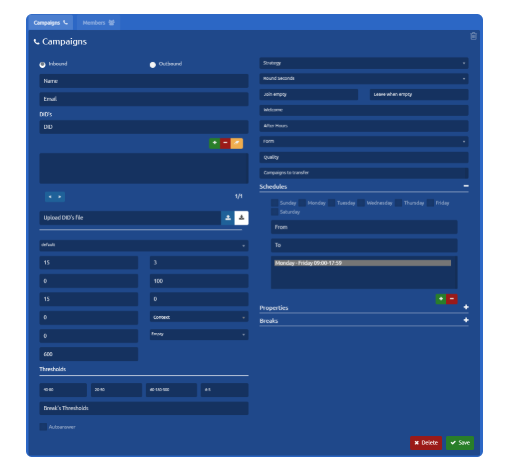
First, we must specify the type of the campaign.
There are two possibilities:
-
Inbound — Allows taking calls.
-
Outbound — Allows making calls.
Basic configuration
To create a new voice campaign, you must specify:
-
Name of the campaign.
-
DID
-
(telephone number) associated with the campaign for identification purposes.
-
-
Dial String: provider used on the outbound calls that are dialed manually.
-
Only for inbound campaigns.
-
-
Schedule
Days of the week and Hours between which the campaign will be available, that is, with agents available to answer calls.
To add a schedule setting:-
Select the Days of the week.
-
Set start and end time for selected days.
-
Add with the '+' button and our configuration will appear in the list.
-
To delete a schedule, we simply select it from the list and press the '-' button.
-

Now our campaign, it's ready to take and make calls.