Skip to main content
Meta Business Verification
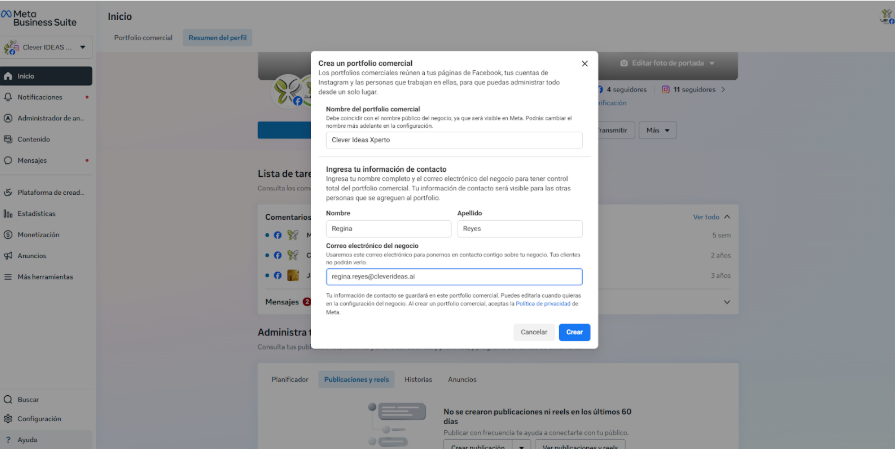
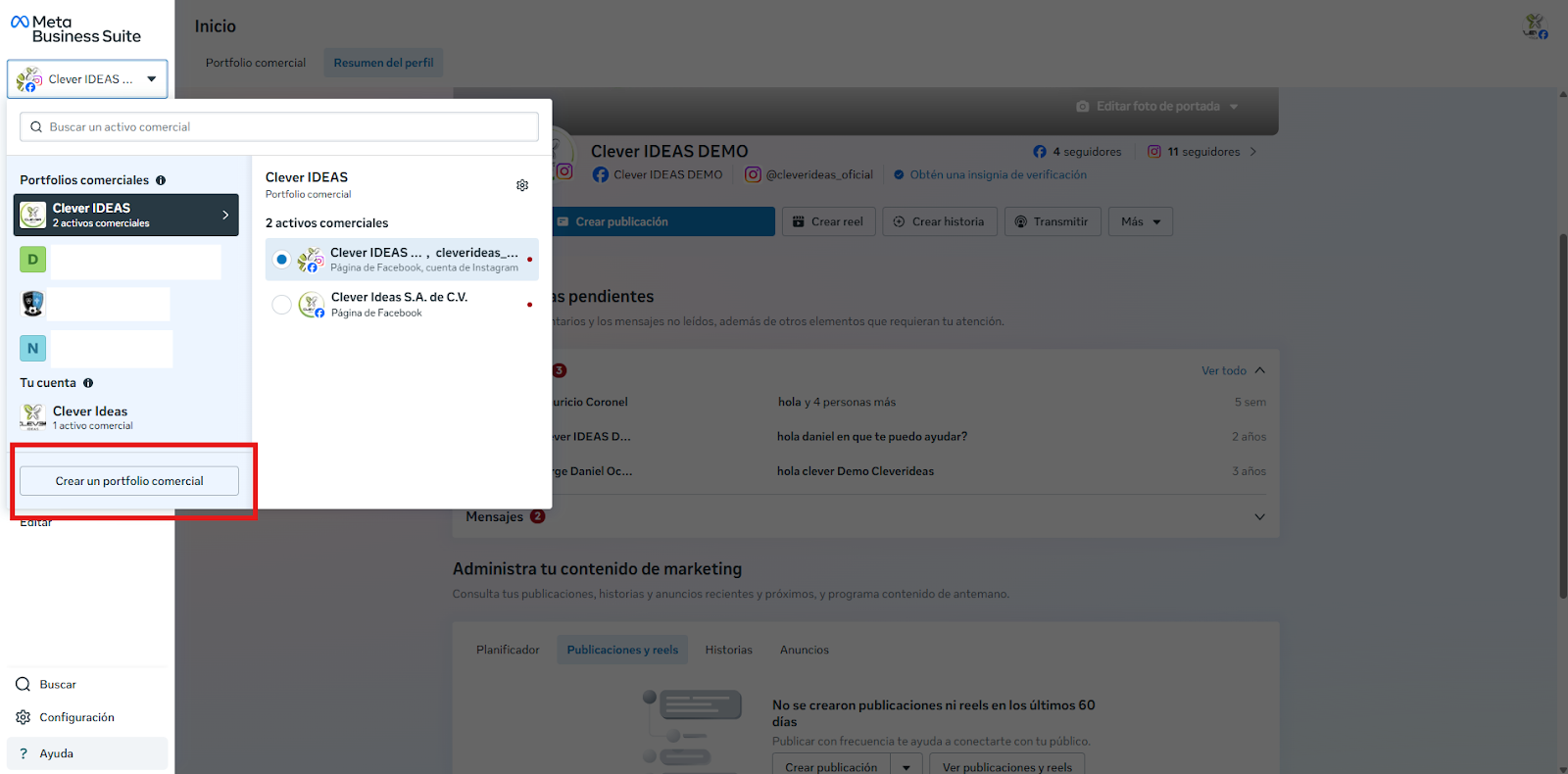
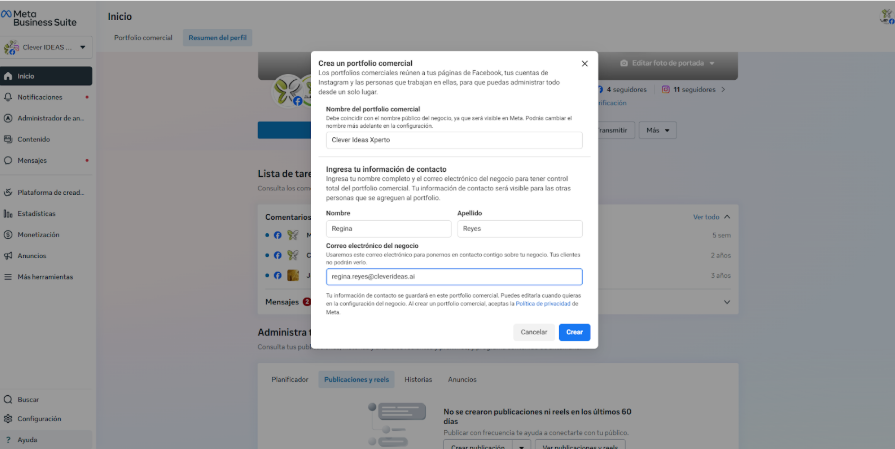
1. Create a Business Portfolio (Business Manager)
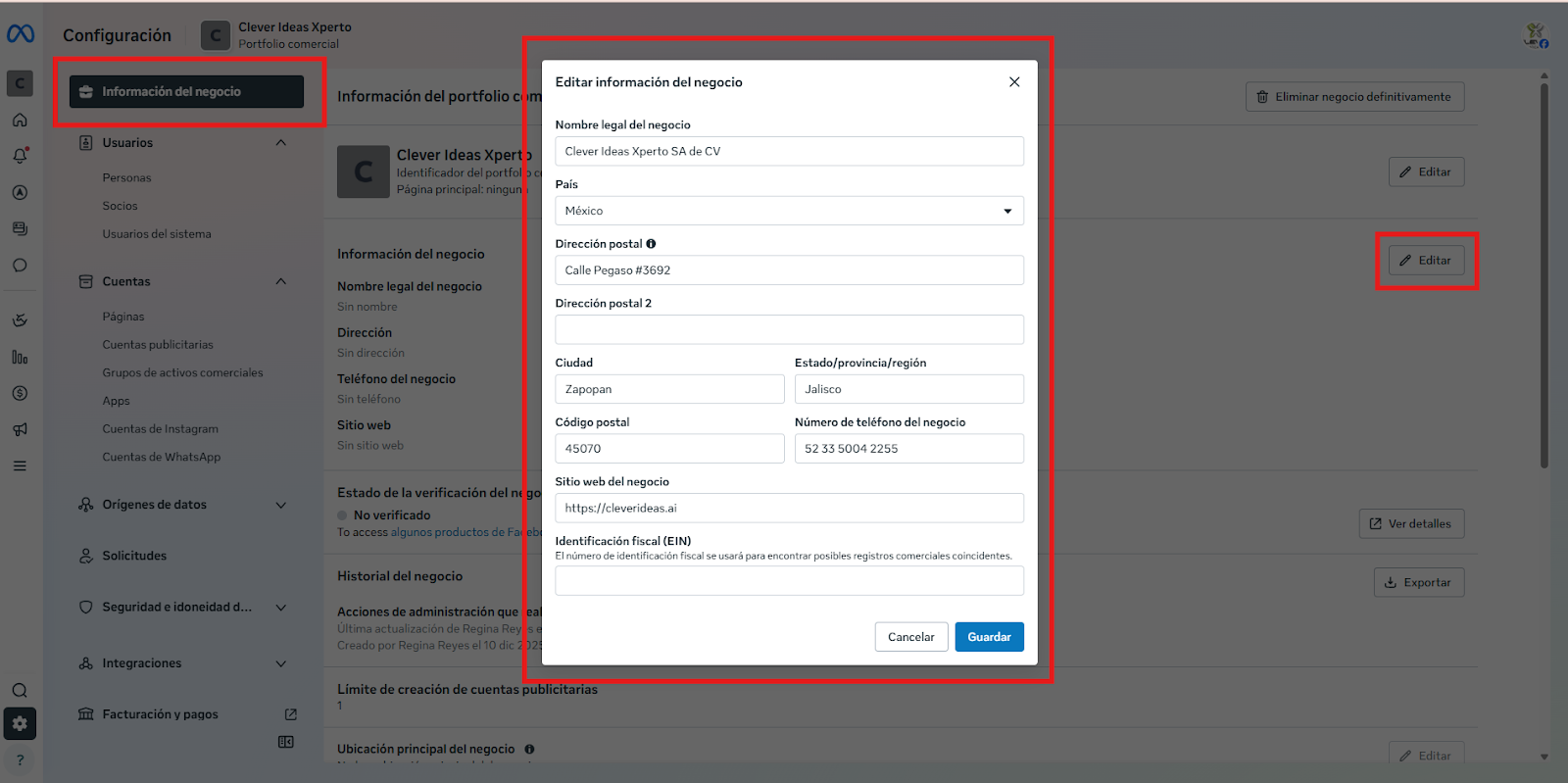
2. Complete the company profile (Business Information)
- Enter the following information: the exact legal business name, registered business address, contact phone number, business website, and business email address. This information must exactly match the legal documents and the information published on the company's website.
3. Assign at least one Business Admin
- Ensure that the person who will initiate the verification has the Administrator role assigned to the Business Portfolio. Only administrators can start the verification process.