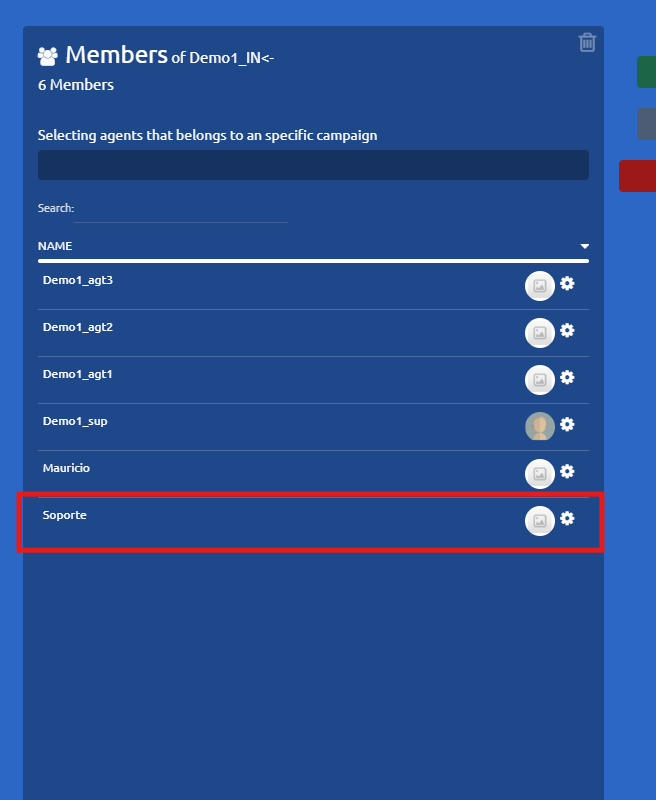
How to Add Users to Campaigns
Important Consideration: To fully activate a user, the agent must be added to a voice campaign. This step is mandatory foraccount activation, even if the selected campaign is currently inactive.
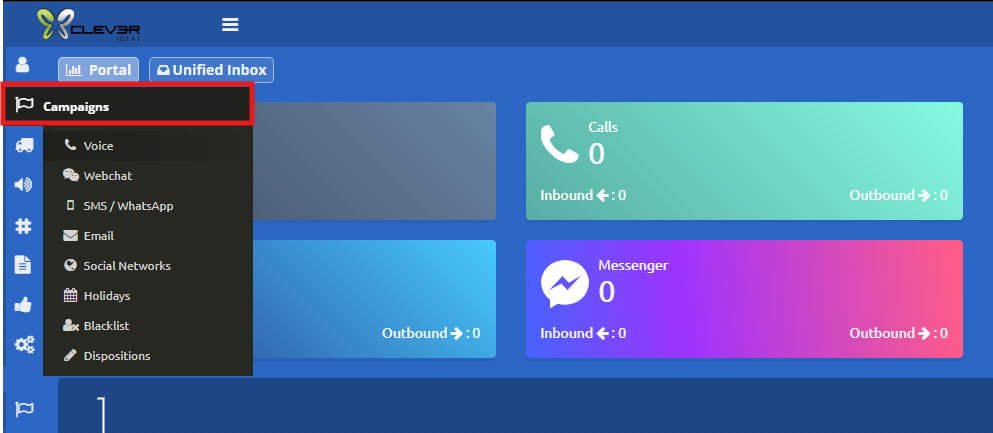
- Access the Campaigns Menu Go to the side menu, select the Campaigns section, and choose the appropriate campaign type.
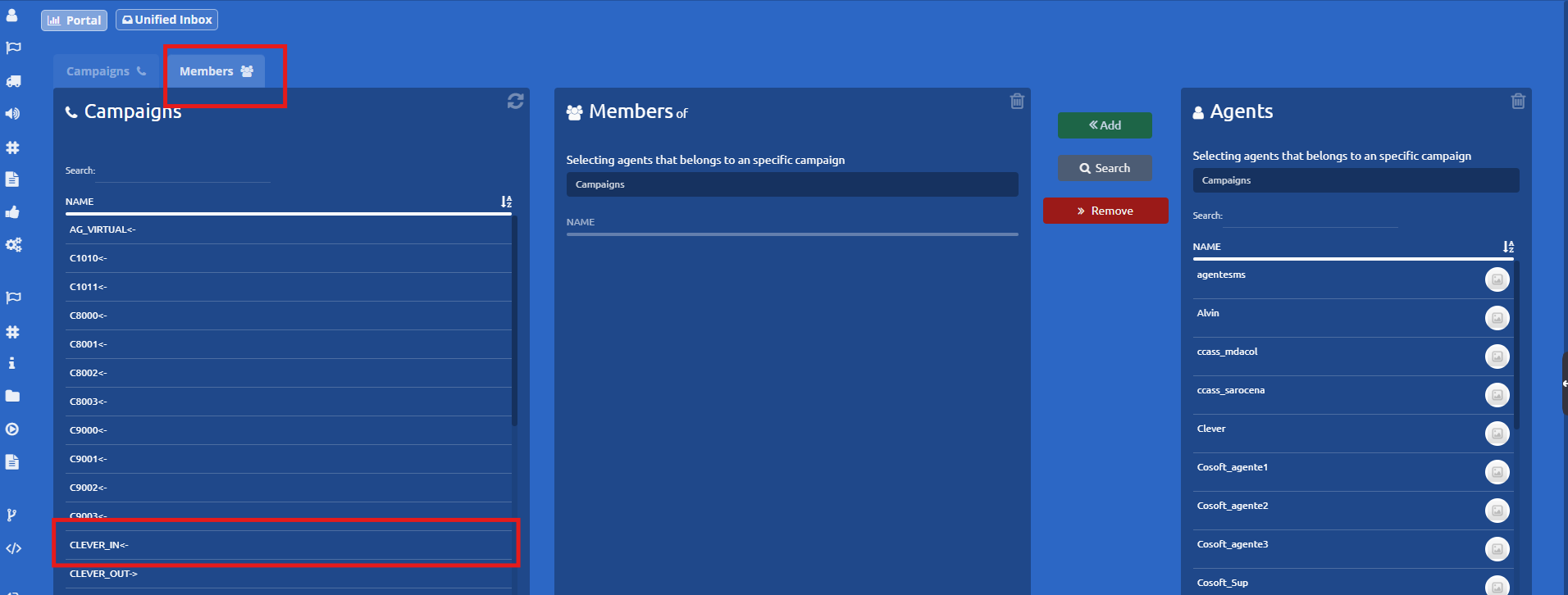
2. Select the members tab, locate and select the specific campaign you want to modify.
3. Find the User Search for the agent you wish to add from the available users list and click on their name.
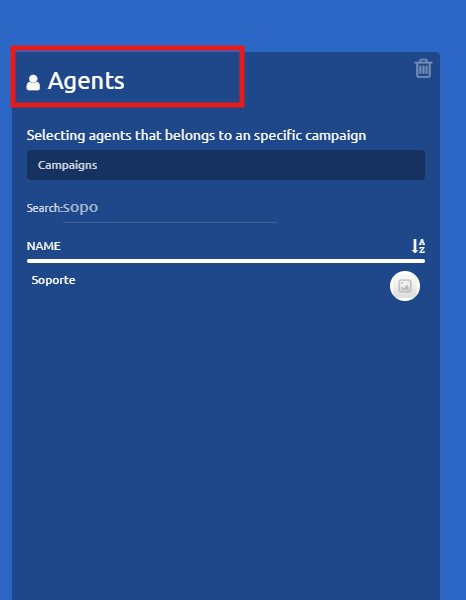
4. Add the Agent Once both the campaign and the agent have been selected, click the Add button.
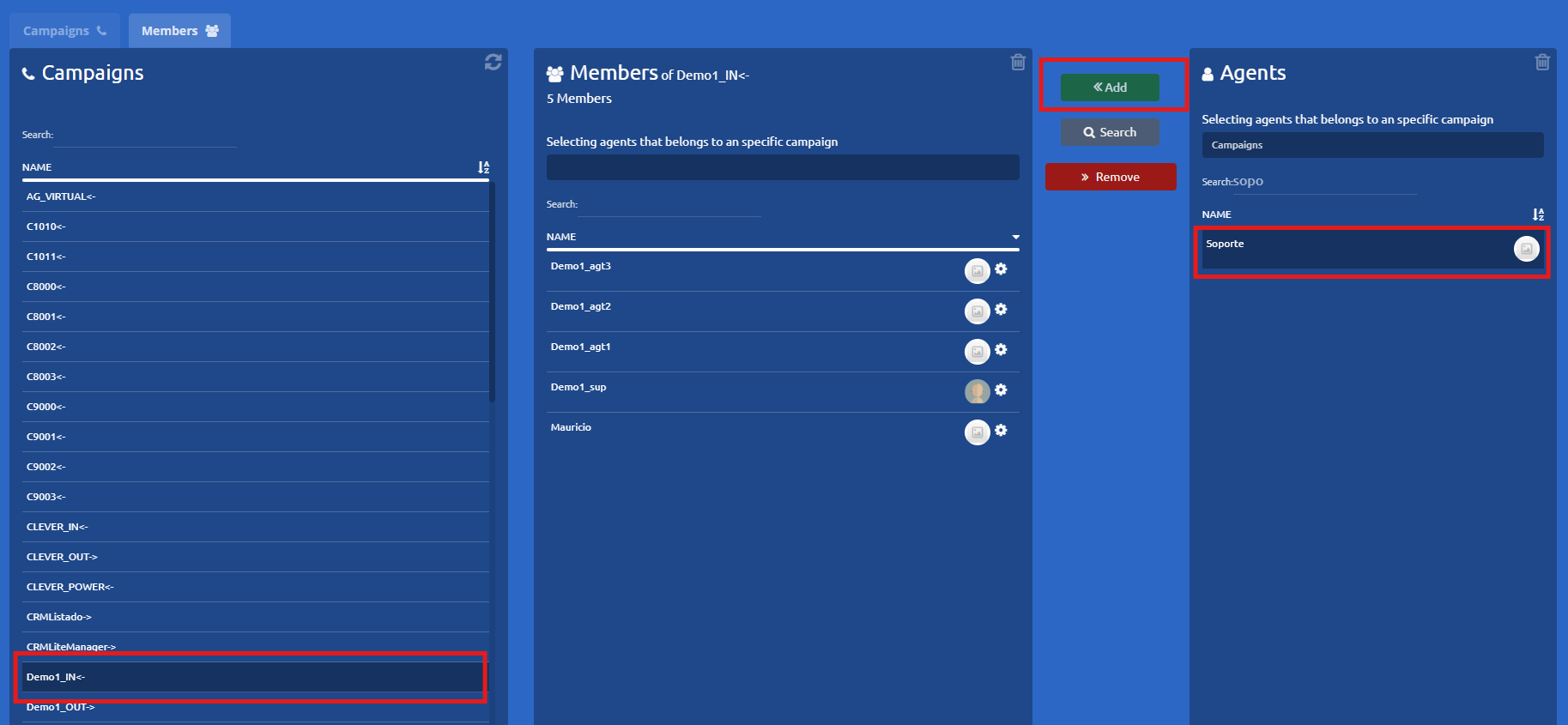
5. Verify the Addition Double-check that the user now successfully appears within the campaign's active list of agents.