
How to Add a New Agent
How to Add a New Agent
Follow these steps to create and configure a new agent in the system:
- Go to the main navigation bar, select the Users option, and then click on Agents.
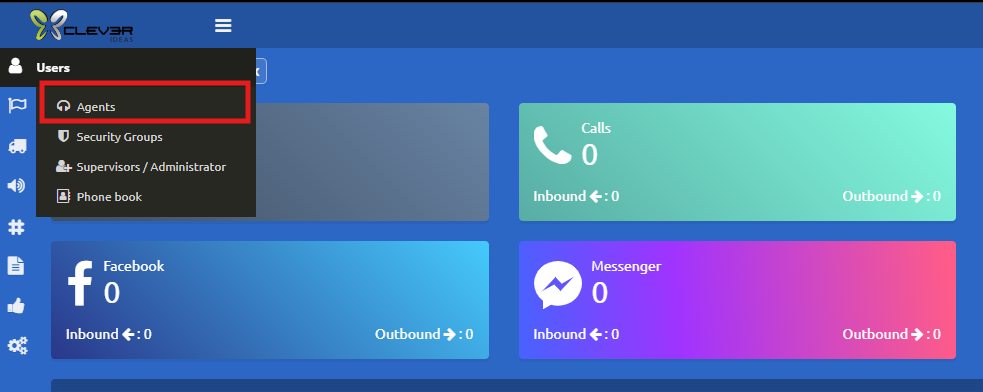
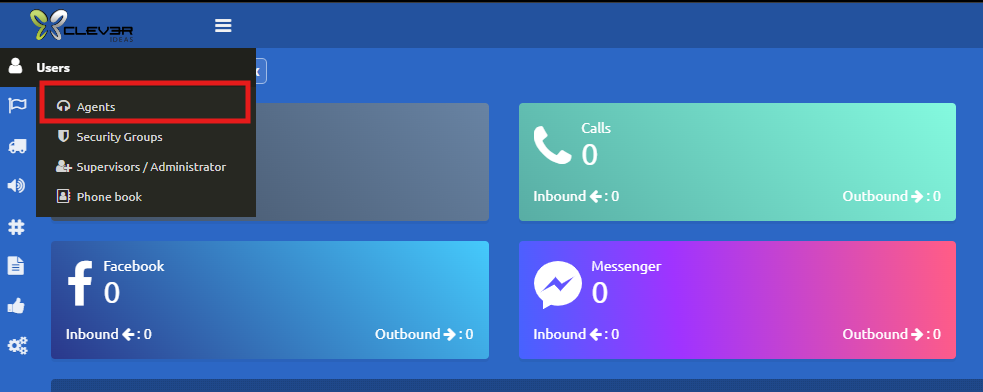
2. Fill in the Agent Information
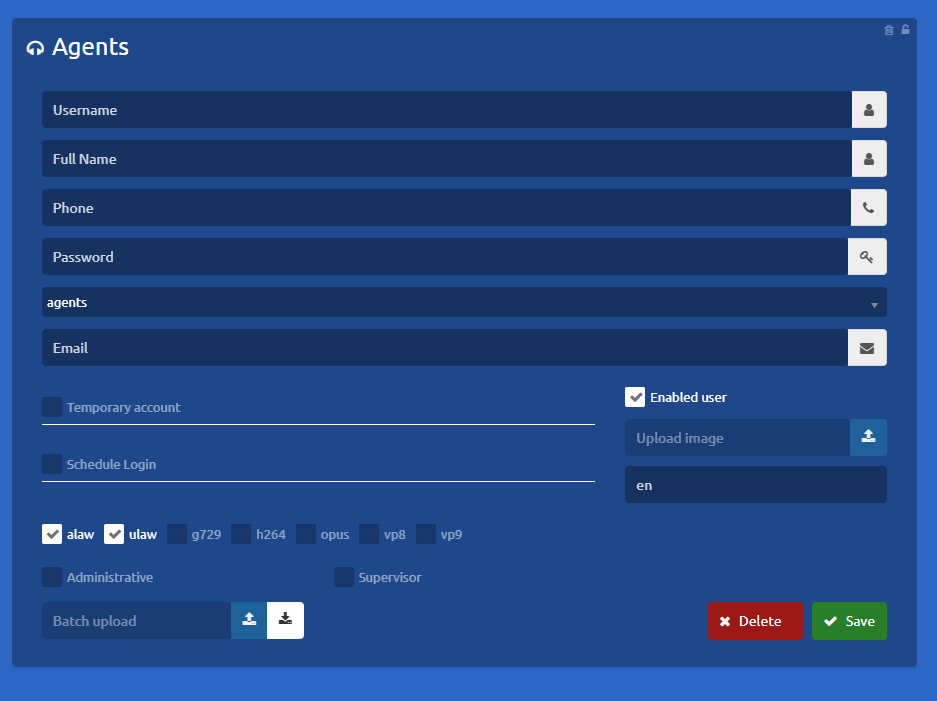
The Agents section will open. Complete the form by providing the requested details for the new agent:
-
User Name: Enter the username the agent will use to log into the system
-
Full Name: Enter the agent's complete first and last name.
-
Phone: Enter the agent's assigned extension. (Note: Please verify that this extension is not already in use).
-
Password: Assign a temporary generic password (e.g.123456) The system will automatically prompt the user to change it upon their first login.
-
Email: Enter the agent's email address (if applicable).
-
Language: Select the user's preferred language for the system interface
Important Considerations
-
Supervisor Access: Do not check the "Supervisor" box unless required. Checking this option will grant the user full supervisor privileges within the system.
-
Once the user has been successfully created, you must assign them to their respective campaigns.
To learn how to assign users to campaigns, please refer to the following
tutorial: [Insert Link Here]tutorial
-